Self-hosted image hosting,
deployed in one command.
Pull and run with a single docker run — PostgreSQL, PicFast, and a guided setup wizard in minutes. ShareX, MCP for AI agents, and any HTTP client work natively.
$ docker network create picfast-net
$ docker run -d --name picfast-db --network picfast-net \
    -e POSTGRES_PASSWORD=devonly \
    -v picfast-pgdata:/var/lib/postgresql/data \
    postgres:16-alpine
$ docker run -d --name picfast --network picfast-net -p 18080:8080 \
    -e PICFAST_DATABASE_URL='postgres://postgres:devonly@picfast-db:5432/postgres?sslmode=disable' \
    -e PICFAST_JWT_SECRET='change-me-in-production' \
    -e PICFAST_SERVER_BASE_URL='http://localhost:18080' \
    -v picfast-uploads:/app/data/uploads \
    -v picfast-thumbnails:/app/data/thumbnails \
xbeta/picfast:latestA full web console, included
Upload by drag & drop, manage images and albums, and configure storage strategies — no database access required.
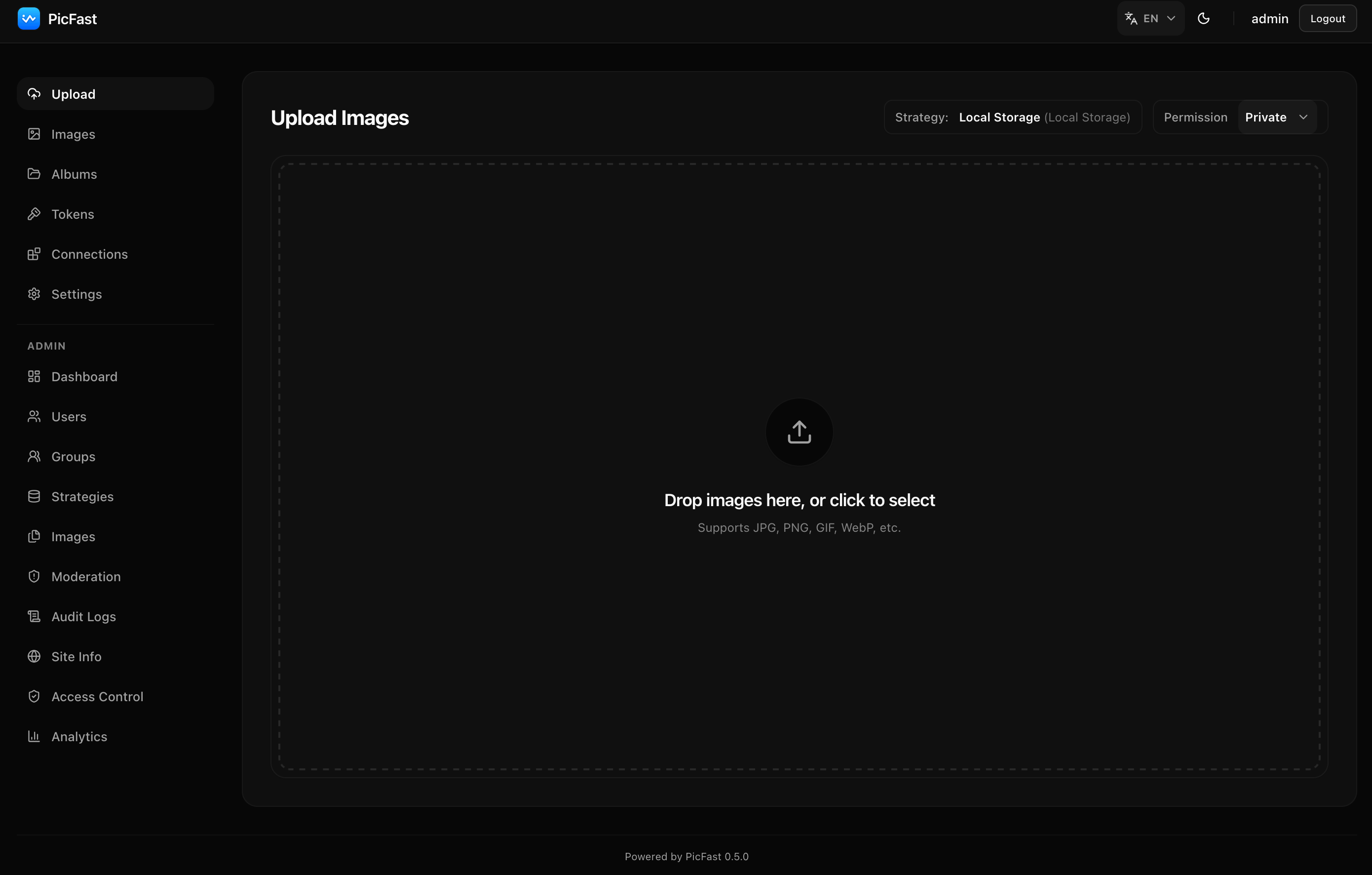
The PicFast web console — upload view
Everything you need, one command away
Deployment, management, integrations, and storage — covered out of the box.
One-Command Deploy
Pull the prebuilt image and deploy with a single docker run — no building from source required. Full Docker Compose template included, production-ready with a few lines of config.
Full Admin Panel
Manage users, groups, storage strategies, images, and site configuration from a clean React dashboard. Day-to-day operations require no direct database access.
API-First, AI-Ready
Clean REST API with an OpenAPI spec and live documentation. The built-in MCP server enables Claude, Cursor, and other AI agents to upload, list, and manage images. Run npx @picfast/mcp to connect.
Native Tool Integrations
One-click config for ShareX, PicGo, PicList, uPic, Dropshare, and more. Official VS Code extension on the Marketplace, plus a cross-platform CLI via npm. Multi-format output — URL, Markdown, BBCode, HTML. Works with curl, Python, JavaScript, or any HTTP client. No vendor lock-in.
6 Storage Backends
Local filesystem, S3-compatible (MinIO, R2), Alibaba OSS, Tencent COS, Qiniu Kodo, and WebDAV. Switch backends anytime — existing images stay where they are.
Image Processing & Management
Automatic thumbnail generation, configurable compression, and watermark support. EXIF extraction, tag-based organization, and advanced search (by keyword, extension, date range, tags). Manual admin moderation with a pre-built interface ready for third-party moderation services.
How it compares
| Chevereto | Lsky Pro | Picsur | PicFast | |
|---|---|---|---|---|
| Setup time | ~30 min | ~30 min | ~10 min | ~5 min |
| Admin panel | Basic | Full | Basic | Full React dashboard |
| API support | Basic | API | Postman | OpenAPI + live docs |
| ShareX integration | ✅ | ❌ | ✅ | ✅ Built-in |
| AI / MCP tools | ❌ | ❌ | ❌ | ✅ 5 tools + resources |
| Storage backends | Limited | 9 backends | Local only | 6 backends |
| Content moderation | ❌ | ✅ | ❌ | ✅ Built-in |
| Image processing | Basic | ✅ Watermark | ✅ Edit/convert | ✅ Compress + watermark |
| License | Paid | GPL v3 | AGPL v3 | GPL v3 |
| Status | Maintained | Discontinued | Discontinued | Active |
Quick start
Download
Grab the Compose file and environment template — no need to clone the repo.
mkdir picfast && cd picfast
wget https://raw.githubusercontent.com/atbeta/picfast/main/docker/docker-compose.yml
wget https://raw.githubusercontent.com/atbeta/picfast/main/docker/.env.example -O .envConfigure
Edit .env — set your domain, database password, and JWT secret. For headless setups, add admin credentials to skip the setup wizard.
PICFAST_DOMAIN=picfast.example.com
PICFAST_SERVER_BASE_URL=https://picfast.example.com
PICFAST_JWT_SECRET=change-me-in-production
POSTGRES_PASSWORD=change-me-tooLaunch
One command starts PostgreSQL and PicFast. Open http://localhost:18080 and follow the setup wizard.
docker compose up -d